
Take attendance and read the statistics
Mark members present, absent or no-show for each activity, see who said they are coming, and follow attendance rates in Statistic.
Before the activity: availability replies#
When an activity exists, members are asked in the app whether they are joining. Their reply appears in the Availability column of the attendance sheet:
| Availability | Meaning |
|---|---|
| Going | Member confirmed |
| Not Going | Member declined – their note appears under Notes from the member |
| Waiting For Reply | No answer yet |
Share the activity's RSVP page on WhatsApp (WhatsApp share RSVP page on the activity) to collect replies quickly.
Take attendance#
- Open the team → Activites → click the activity → Attendance.
- For each member click ✓ (Present) or ✗ (Absent) in the Attendance Checking column. The Status chip updates immediately – "Attendance updated successfully."
- Use Add/Remove Member if someone who is not on the list turned up.
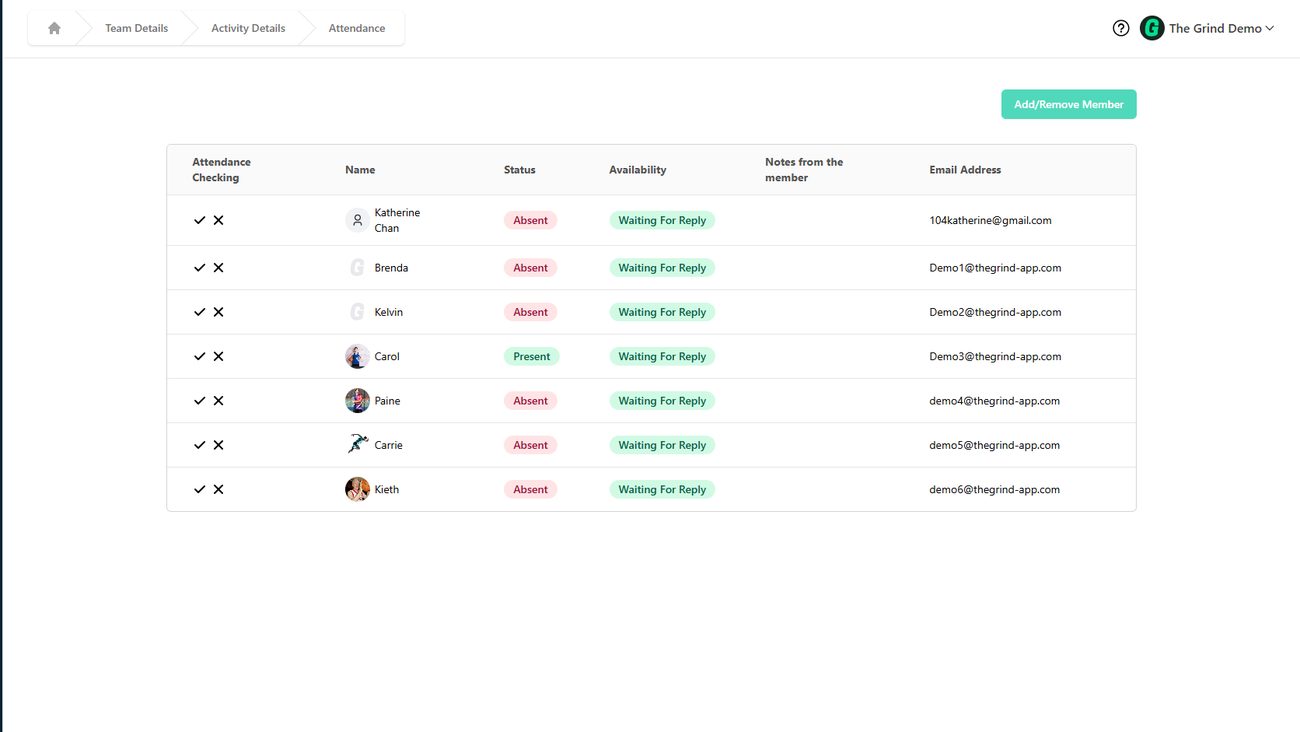
Status values: Present, Absent, No Show (said Going but did not come), Waiting For Reply. Changing a status asks "Are you sure you want to change the status?".
Statistics#
Sidebar → Statistic shows one card per team with Members and the attendance Rate (percentage of Present across the team's activities).
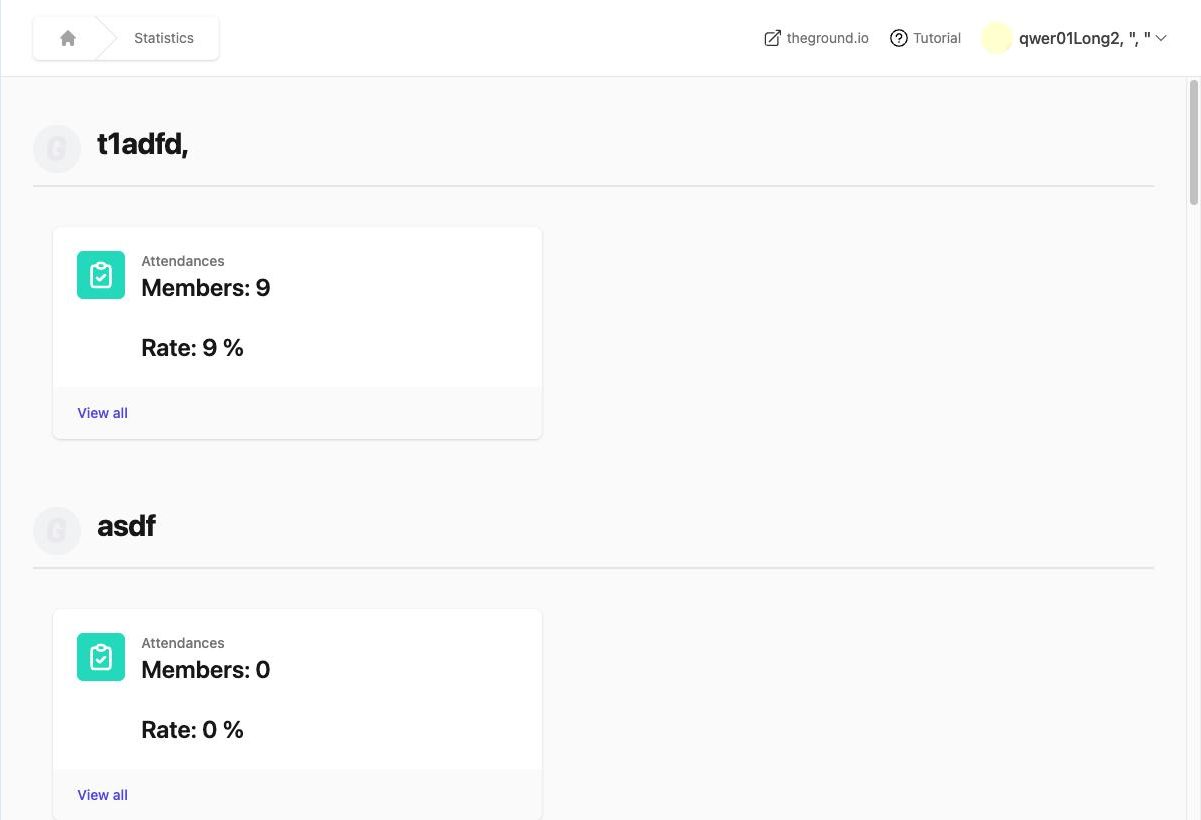
- View all on a team card opens Member Attendance: each member's overall attendance rate.
- Click a member to see Member Attendance Details – every activity with date, their status and their notes.
- No data yet? You will see "Create your team and take attendance to unlock performance analytics here. Data will appear here automatically after your first session."
Statistics cover teams only; event attendance is tracked with check-in.
Exporting#
On an activity, Manage → Export to CSV downloads the member list with contact details. Attendance history per member is available in the member's attendance details page; there is no bulk attendance export yet.