
Team members and invitations
Grow a team with the invitation link, e-mail or WhatsApp, add or remove members manually, and keep internal records per member.
Invitation link#
Every team has an Invitation Link on its Information tab. Invitation page previews it; Copy Link copies it. Anyone who opens it (with a The Ground account) can join – or request to join if the team is not public. This is the main way to fill a team.
Public teams (Setting → Public Team On) are also discoverable on theground.io.
Members tab#
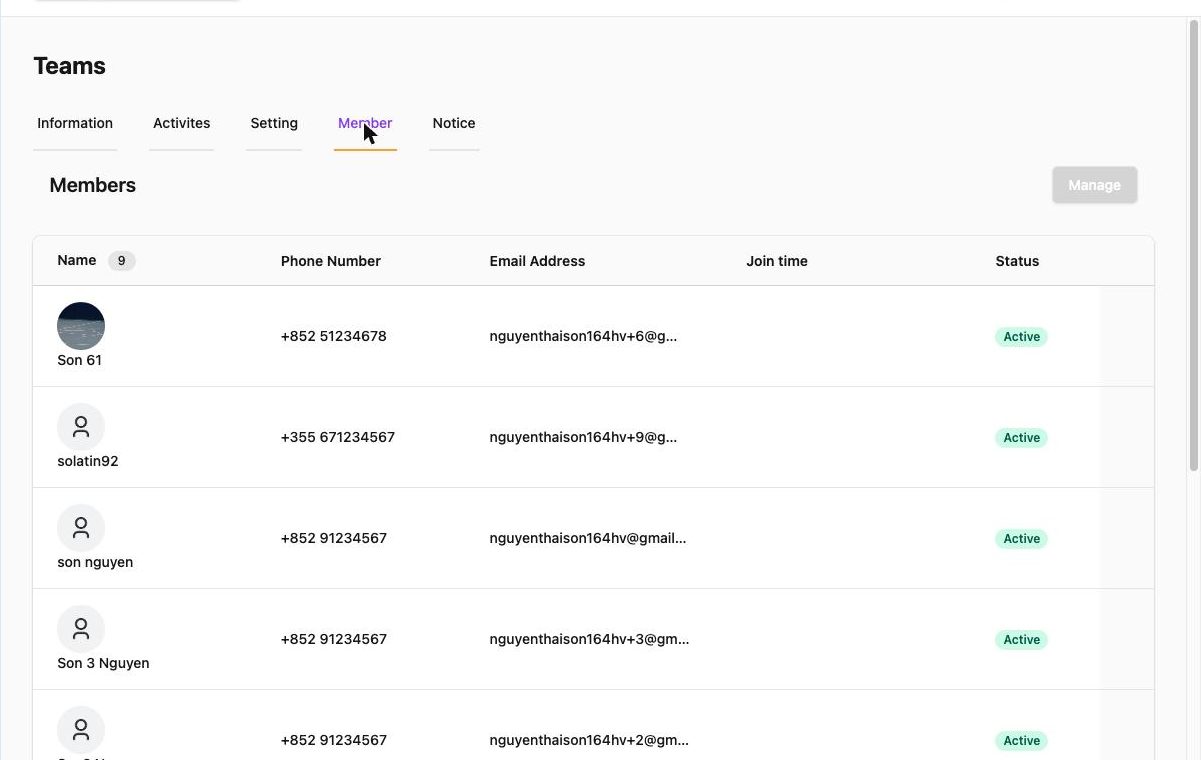
The table lists each member with phone, e-mail, Join time and Status (Active, Left). Click Manage for the tools:
| Tool | What it does |
|---|---|
| Manual add/remove → Add Members | Add people already in your organization (they joined another team or event). |
| Manual add/remove → Remove Members | Remove members from this team. |
| Invitation → Existing Members | Invite organization members; they accept in the app. |
| Invitation → Email | Send up to 10 invitation e-mails per batch. |
| Invitation → WhatsApp Link | Share the team link with a pre-written message ("Join our team at ‹link›"). |
| Export to CSV | Download the member table. |
New members are added to upcoming activities automatically when the team setting "When adding new members, auto-add them to all upcoming new activities" is Yes.
Member details and internal record#
Click a member to open their page: contact details, Joined Team on, and the admin-only Internal Record – Role/Position, Number, Remarks – plus an Attendance button that shows their history in this team. Click Save Changes after editing.
Members per activity#
Attendance lists can differ from the team roster: on an activity, Manage → Add Members / Remove Members changes who is expected at that session only. See Take attendance.
Leaving and removing#
Members can leave a team from the app (status Left). Removing them yourself (Remove Members) takes them off the roster and future activities; past attendance records stay in the statistics. To remove someone from the whole organization use sidebar → Members → Delete Member.