
Why is "Create Event" or "Create Team" greyed out?
The three reasons the create buttons are disabled – expired premium subscription, free-plan limit reached, or not being an admin – and how to fix each.
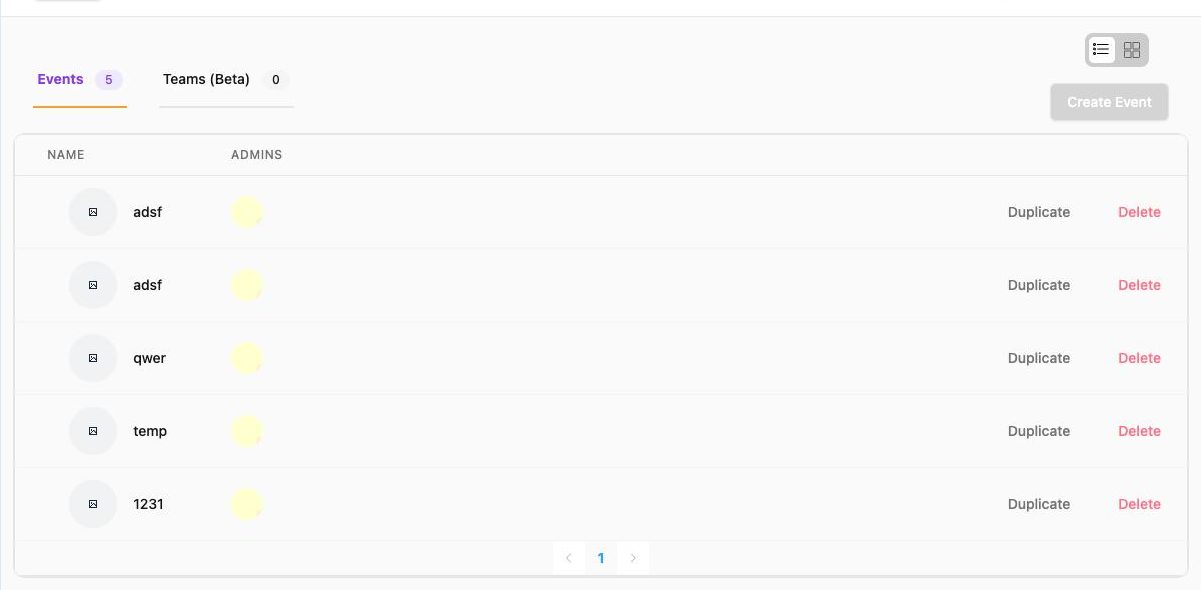
A grey Create Event / Create Team button always has one of these causes.
1. The organization is premium and the subscription has expired#
Check the sidebar dropdown: if the selected organization is labelled premium, open your name ▾ → User Account and look at Subscription End date. If it is in the past, creating is blocked and existing events show no green check (inactive).
Fix: renew the subscription (Plans and limits), or switch to / create a free organization for now – free organizations are never blocked this way.
2. Free-plan limit reached#
Free organizations can hold 100 events and 100 teams. When you hit it you will have seen "You have reached the maximum number of events for free plan."
Fix: delete old test or past events / teams you no longer need (list view → Delete), or upgrade.
3. You are not an admin of this organization#
If you were added as a member (not an admin) of an organization, its pages are read-only for you and the buttons are disabled.
Fix: ask an organization admin to add you – Members → Admins → Add Admins or the invitation link. See Admins and permissions.
Still grey?#
- Wait a moment after switching organizations – the list loads first and the button follows.
- Reload the page; if your session expired you will be asked to log in again.
- Make sure the right organization is selected in the sidebar dropdown.
- Contact info@theground.io with the organization name.