
Stripe setup problems
The messages you can meet on the Stripe Payment tab and during onboarding, what they mean and how to resolve them.
"Add your organization email in the Contact tab, then try again."#
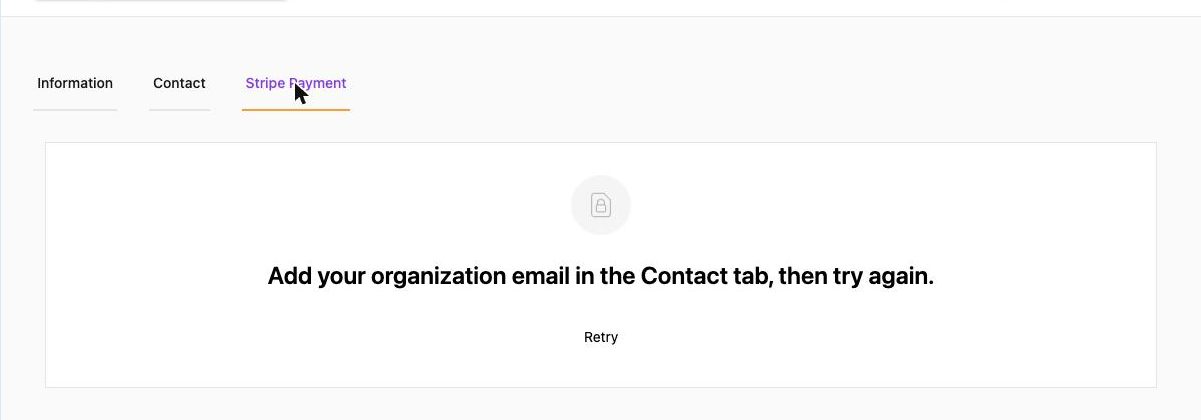
Stripe accounts are created with your organization's e-mail, and this organization has none. Go to Organization Settings → Contact → Edit → enter Email Address → Update. Return to the Stripe Payment tab and click Retry.
The API version of the same problem reads "Company email is required for Stripe account creation".
"You do not have permission to access Stripe Connect for this company"#
Only organization admins can set up Stripe. Ask an admin to add you (Admins and permissions) or to complete the onboarding themselves.
Status stays "Incomplete"#
You left Stripe's onboarding before finishing, or Stripe rejected a document. Click Complete Verification again and go through every step until you return to the admin's Stripe Account Verification page. Common blockers: blurry ID photo, address that does not match the ID, missing bank account.
Status "Partially Complete"#
Charges work, payouts do not. Stripe still needs something – open Continue Verification or the Stripe Dashboard and look for the Action required banner. Members can already pay; money waits in your Stripe balance. See Payouts.
The Stripe page shows "Refreshing your Stripe session…" and then an error#
The onboarding link expired (they are short-lived). Go back to the admin and click Complete Verification again to get a fresh link. If you see "Organization ID is missing. Please go back to the home page.", start again from Organization Settings rather than from a bookmarked Stripe URL.
Members say the card payment page does not appear#
Check the event's Setting → Payment card: Online payment must show Stripe Account · Complete (or Partially Complete). If it shows Incomplete, finish onboarding. Also make sure the event is Paid (Free ↔ Paid cannot be changed after creation – duplicate the event if needed).
"Failed to open Stripe Dashboard."#
Usually a pop-up blocker or an expired session. Allow pop-ups for admin.theground.io and try again, or log in to Stripe directly at dashboard.stripe.com with the organization e-mail.
I connected the wrong Stripe account#
Contact info@theground.io with your organization name – Stripe accounts cannot be detached from the admin by yourself.