
Tracking links and statistics
Give each channel its own share link – Instagram bio, a WhatsApp group, a poster QR code – and see in the Statistic tab which channel, link and person brought people in.
A tracking link is your event link with a code on the end (…?ref=6zxv0gmv). When someone joins the event after arriving through it, the join is counted for that link. Make one link per place you post, and the Statistic tab shows which ones work.
Create a tracking link#
- Open the event → Information tab → Tracking Links (under the Invitation Link).
- Pick a Channel – Instagram, Facebook, WhatsApp or Other – and type a Label that says where you will post it, e.g. "IG story Mar 1" or "Poster QR code at the courts".
- Click Generate link – "Tracking link created." – then Copy and post it.
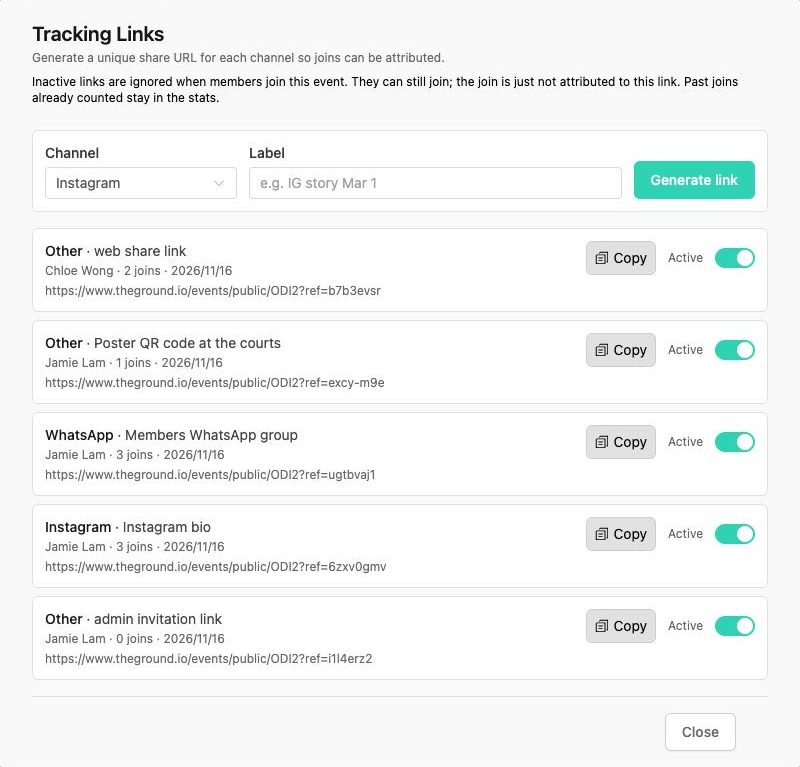
Each link in the list shows its channel and label, who created it, how many people joined through it, the date and the full URL.
- The admin invitation link is created with every event. It is the link in the Information tab's Invitation Link box, so joins from it are counted too.
- Members' links: when a signed-in member shares the event from The Ground, they share their own link (Other · web share link, with their name). If someone who is not signed in passes that link on, the original sharer keeps the credit.
- Active switch – turn a link off when the post is gone. "Members who use this link can still join, but new joins will not count toward this link. Past joins stay counted."
What counts as a join#
A join is counted when someone signs up for the event after opening a tracking link – not when they only view the page. People who open the plain event link (without ?ref=) are not counted, and neither are joins through an inactive link.
The Statistic tab#
Open the event → Statistic. "Joins attributed to tracking links, by channel, sharer, and link."
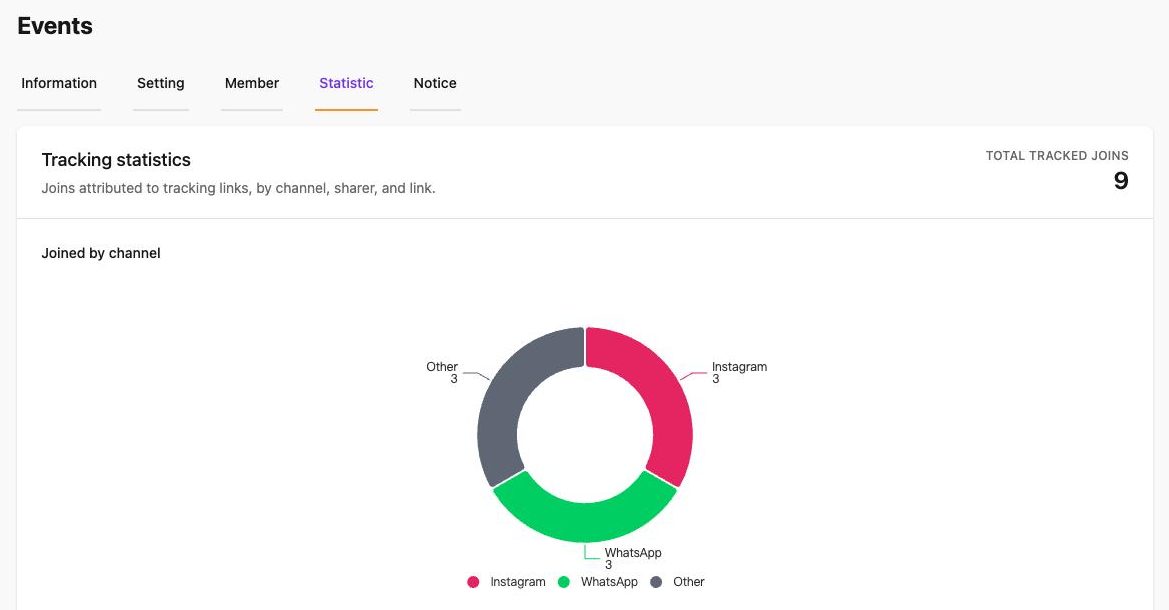
- Total tracked joins – all joins that came through a tracking link.
- Joined by channel – a chart of joins per channel (Instagram, Facebook, WhatsApp, Other).
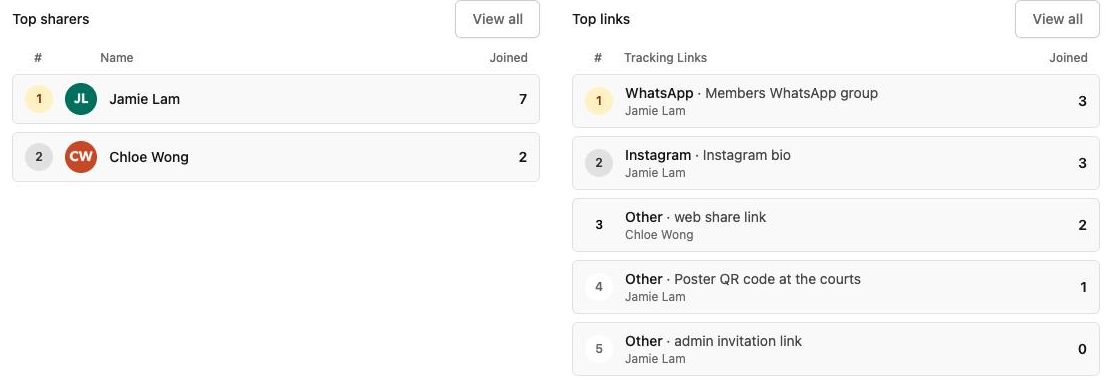
- Top sharers – the people whose links brought the most joins: you and the other admins, and members who shared their own link.
- Top links – every tracking link ranked by joins. View all opens the full list.
Empty sections say "No channel conversions yet." and similar until the first tracked join.
Ideas#
- One link per Instagram story or post, labelled with the date, to see which post worked.
- A link for each WhatsApp group you post in.
- Thank your Top sharers – they are your best promoters.